SELF-GUIDED DIGITAL PLAYBOOK

Windows File Recovery Playbook

Protect the source. Choose your route. Verify the files you find.
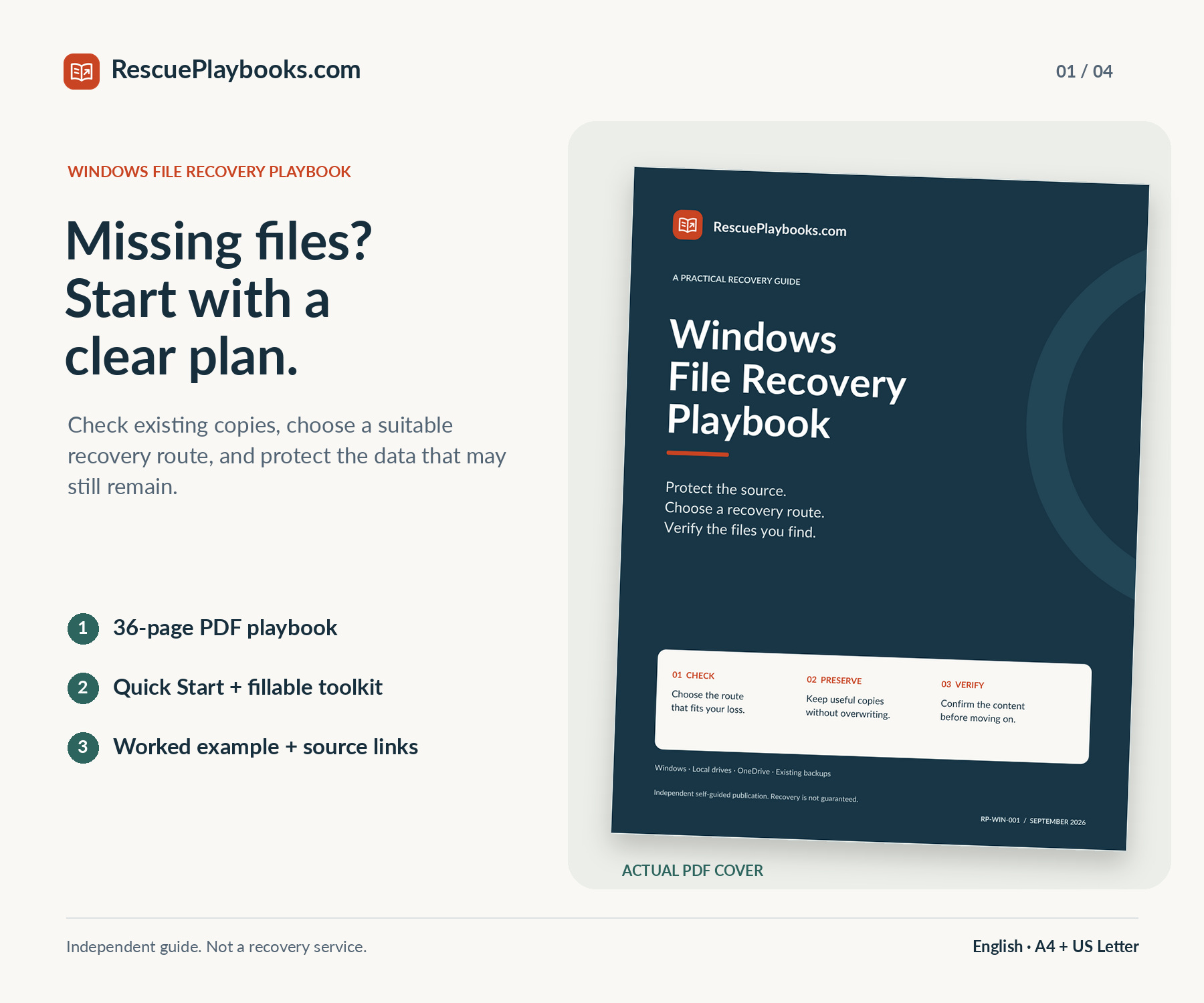
A missing file does not always need a recovery scan. Work through local and cloud copies, existing backups, and conditional Windows File Recovery commands. Use safety checks, a source-and-target plan, and content verification to decide what to do next.

36-page PDFRead or printFillable toolkit

Not a data recovery service. We do not access your files or carry out recovery steps for you.

Recovery is not guaranteed. Overwriting, SSD behavior, encryption, device condition, permissions and retained copies determine which routes remain available.

$39USDOne-time payment
Get This Playbook

PDF playbook + practical toolkit · Delivery after payment

Independent guide. Not affiliated with or endorsed by Microsoft. You are paying for an independently organized guide, practical PDF tools and adaptable messages—not recovery software, exclusive access to Microsoft tools, or work carried out on your computer.

WHAT'S INCLUDED

Inside your playbook.

Focused guidance. Practical resources. Clear next steps.

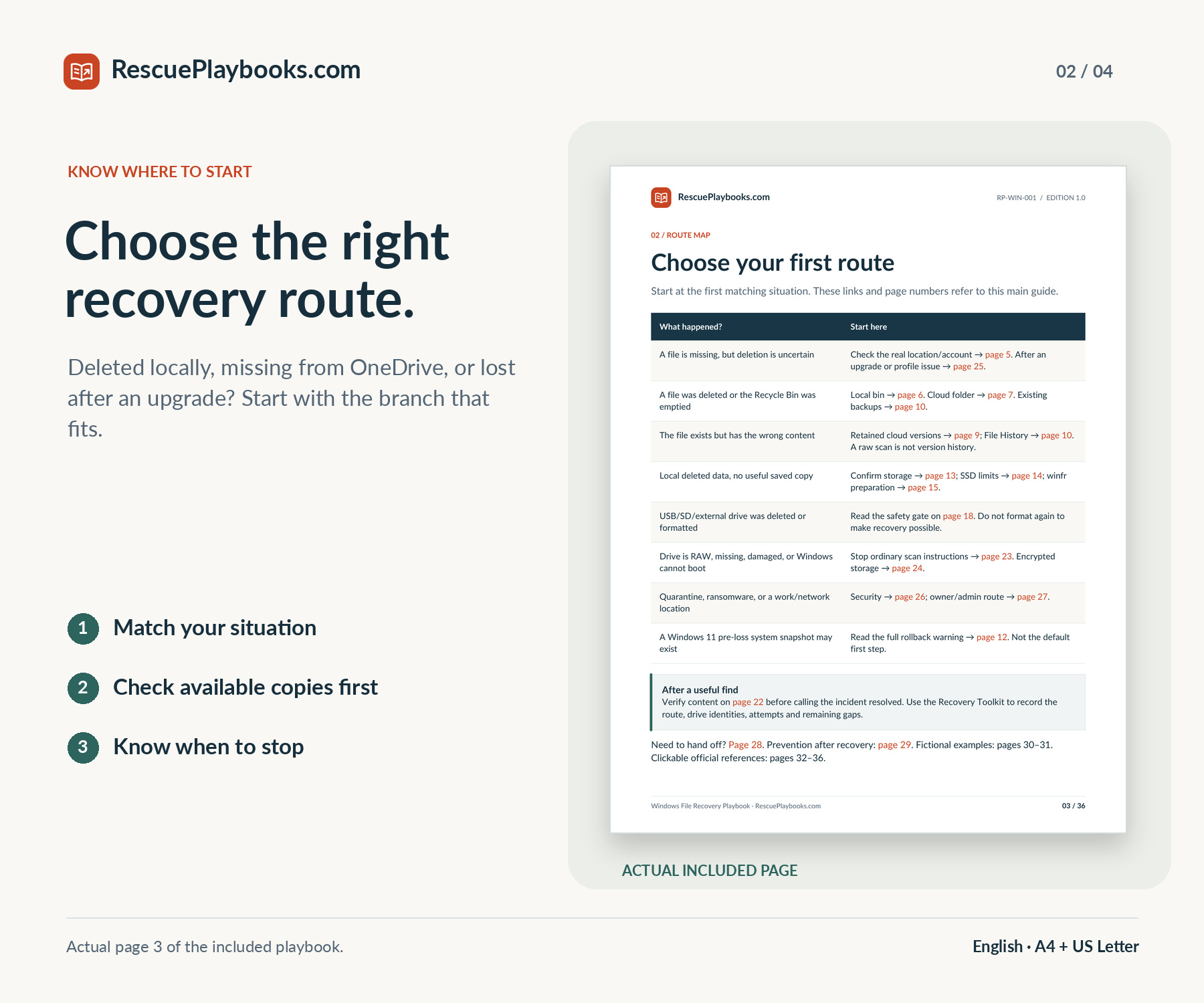
A route for your situation

Start with the branch for missing files, deletion, older content, cloud storage, an upgrade or a device warning.

Preserve before you scan

Understand source writes, separate physical destinations, SSD limitations and clear stopping conditions.

Saved-copy and backup checks

Follow local and OneDrive bin routes, version history, File History and existing-backup checks.

Conditional winfr command cards

Choose Regular or Extensive mode; use bounded filters and optional advanced examples only when supported.

Verify the recovered content

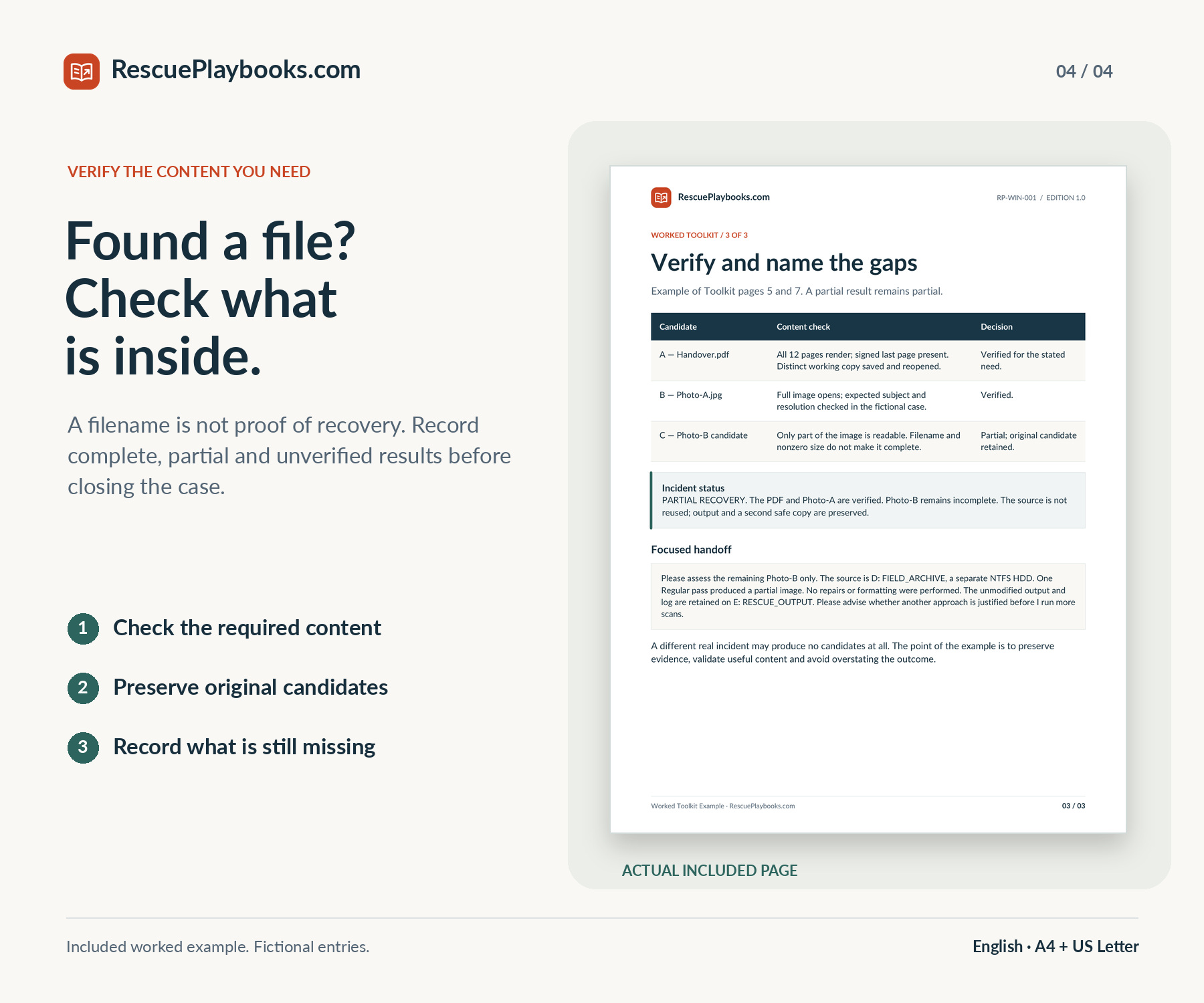
Distinguish a complete file from a partial or unverified candidate before choosing a working copy.

A 7-page fillable toolkit

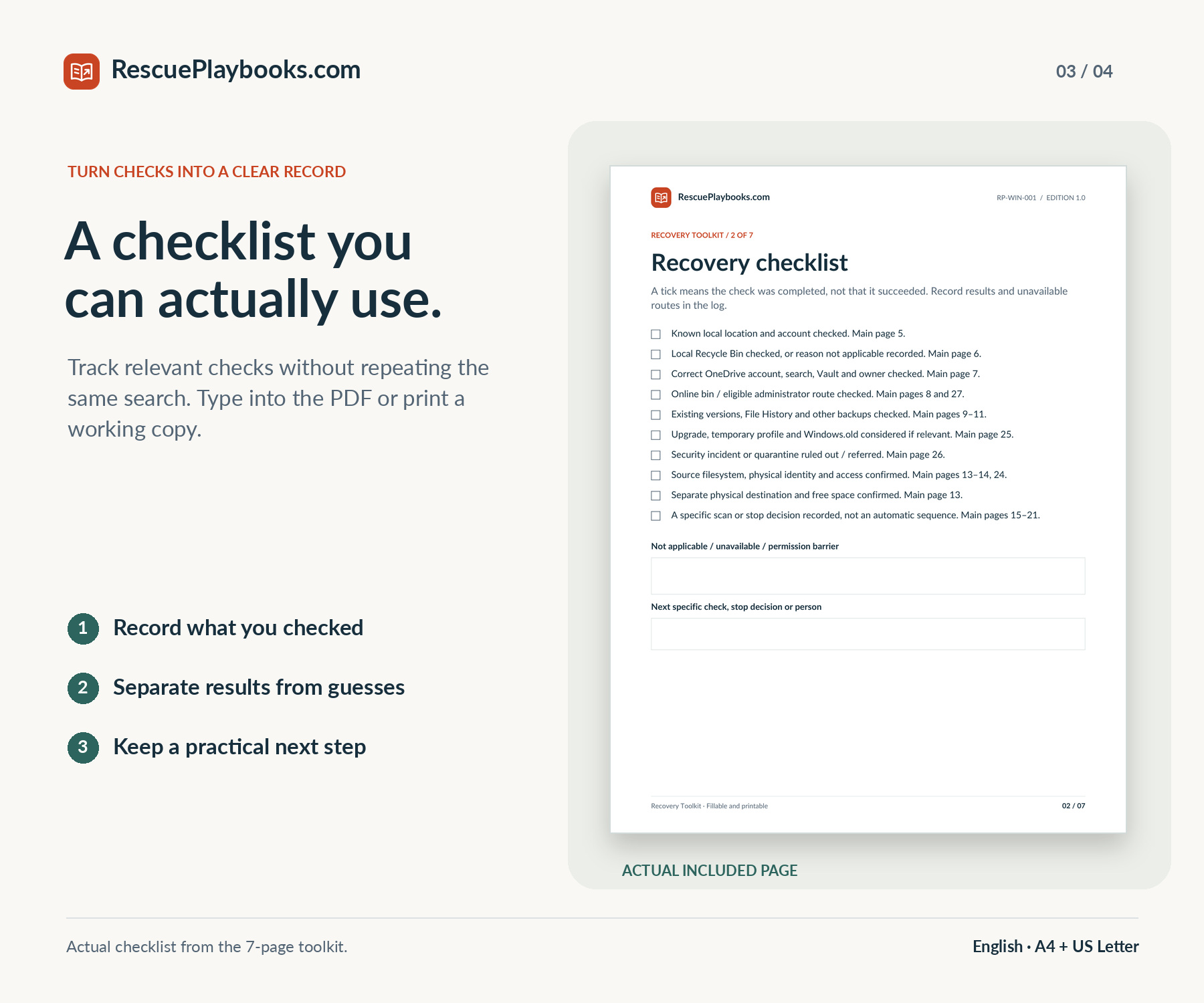
Record the incident, recovery checks, source-and-target plan, attempts, candidate verification, rollback decision and handoff.

A worked fictional case

See how a careful record documents both verified files and remaining gaps without claiming a guaranteed result.

Adaptable support requests

Prepare focused requests for a file owner, IT administrator, recovery specialist or security team.

YOUR DIGITAL DOWNLOAD

One playbook.
Read, print, and take action.

Choose your paper size. Keep the practical tools beside you.

36-page PDF playbook

Recovery routes, command examples, safety gates and source links.

A4 + US Letter

Read on screen or print the size that matches your paper.

Practical PDF companions

Quick Start, fillable toolkit, worked example, and adaptable messages.

Files in the package

  • 36-page PDF playbook with source links
  • 2-page Quick Start PDF
  • 7-page fillable and printable Recovery Toolkit
  • 3-page fictional worked toolkit example
  • 3-page copy-and-paste message companion
  • A4 + US Letter editions, plus a 2-page Start Here PDF

A4 and US Letter editions contain the same content. No audio file is included.

What's not included.

Hands-on recovery, remote computer access, or one-to-one technical assistance. Recovery software, hardware, paid licenses, damaged-drive repair, forensic imaging or RAID reconstruction. Bypassing passwords or encryption, recreating overwritten or never-retained data, or guaranteeing a recovery result.

Independent guide. Not affiliated with or endorsed by Microsoft. The Windows File Recovery app, hardware and software licenses are not included.

MADE FOR SITUATIONS LIKE YOURS

Who this playbook is for.

You deleted a file or emptied the Recycle Bin.

Identify the original location, check retained copies, then assess whether a bounded local recovery attempt is appropriate.

Your file may be in OneDrive or a backup.

Check the correct account, online bins, file versions and backups that existed before the loss.

You are unsure which disk or folder held the file.

Separate the recovery source from the destination before copying files or choosing a command.

You want to use Microsoft’s Windows File Recovery app.

Review the prerequisites, select a supported mode, and adapt clearly labelled command examples to your own storage.

A USB drive was deleted from or already formatted.

Use the readable-volume safety gate; distinguish a supported scan from a damaged or unrecognized device that needs help.

You found candidates, or need a useful handoff.

Verify actual content, record partial or unsuccessful outcomes, and prepare focused notes for the storage owner or a specialist.

BEFORE YOU BUY

A few things worth knowing.

Help with your purchase
What exactly will I receive?
An English 36-page PDF playbook, a 2-page Quick Start, a 7-page fillable and printable Recovery Toolkit, a 3-page fictional worked example and a 3-page copy-and-paste message companion. These five documents come in both A4 and US Letter. A separate 2-page Start Here PDF explains the package. The download contains 11 PDF files.
How many pages are in the main playbook?
The main guide has 36 pages, including its source index. The companions are separate. The two paper sizes contain the same material; they are not twice the content.
Is this a recovery service or recovery software?
No. This is an independent self-guided publication and PDF toolkit. We do not connect to your computer or recover files for you. Microsoft’s Windows File Recovery app is separate; an official download link is provided.
Which Windows versions and storage types are covered?
Windows 11 is the primary environment. Windows 10 routes apply only where the relevant feature or app is available. Local scan guidance covers supported NTFS, FAT and exFAT volumes, with safety gates for external media. App availability, permissions and device configuration matter.
Can it help after emptying the Recycle Bin or formatting a drive?
It explains existing-copy checks and conditional local recovery routes. A formatted volume must still satisfy the readability and safety gates. Formatting, overwriting, encryption and device condition can make recovery impossible; do not format a device to prepare it for this guide.
What about an SSD or flash drive?
SSD and flash behavior can limit or prevent recovery of deleted content. The guide explains why there is no guaranteed recovery window and why unnecessary writes or repeated experimentation should be avoided. It does not promise that software can reverse TRIM or overwriting.
Does it cover OneDrive and backups?
Yes. It covers account and location checks, retained cloud copies, relevant bins, version history, File History and existing backups. It also distinguishes a conditional Windows 11 whole-system snapshot restore from ordinary file recovery. Those options require retained data, eligibility and appropriate access.
Will I need another drive or an administrator account?
A local winfr attempt requires a compatible Windows host, appropriate permissions and a separate healthy physical destination device with enough space. Different drive letters alone are not enough to establish that the source and target are separate devices. Existing cloud-copy checks may not require a local scan.
Should I use this on a damaged, locked or work-managed device?
The guide provides stop rules and a focused handoff, not hardware repair or an encryption bypass. For an unstable drive, missing keys, a nonbooting system or managed storage, follow the relevant preservation and authorized-IT route before experimenting.
Are the worksheets fillable and printable?
Yes. The 7-page Recovery Toolkit contains 91 form fields and checkboxes in each paper size. You can type into a copy in a PDF reader that supports forms, save it on safe storage and reopen it to check that entries persist. The blank pages also work on paper. The other PDFs are not fillable forms.
Where should I download the package?
Use another device or unaffected storage whenever possible. Do not download or extract this ZIP, save the toolkit or install tools onto storage that held the deleted files. Read Start Here before beginning a recovery attempt.
Are the instructions guaranteed to recover my files?
No. The guide is organized around published sources and records its review date. Live recovery procedures were not tested for this edition, and the worked example is fictional. Recovery depends on your actual files, storage, settings, permissions and retained copies.
How do I get the files, and can I get a refund?
Customers may request a refund within 14 days of purchase by emailing support@rescueplaybooks.com with their order reference and a short description of the issue. Approved refunds are returned to the original payment method. This voluntary guarantee does not limit mandatory consumer rights. Refund Policy
Are future updates included?
Your purchase includes the edition delivered with your order, not a commitment to ongoing updates or later editions. Features and service rules can change. Use the source links to check the relevant current instructions before a later attempt.