SELF-GUIDED DIGITAL PLAYBOOK

Google Drive File Recovery Playbook

Find the right route. Protect useful copies. Verify the result.
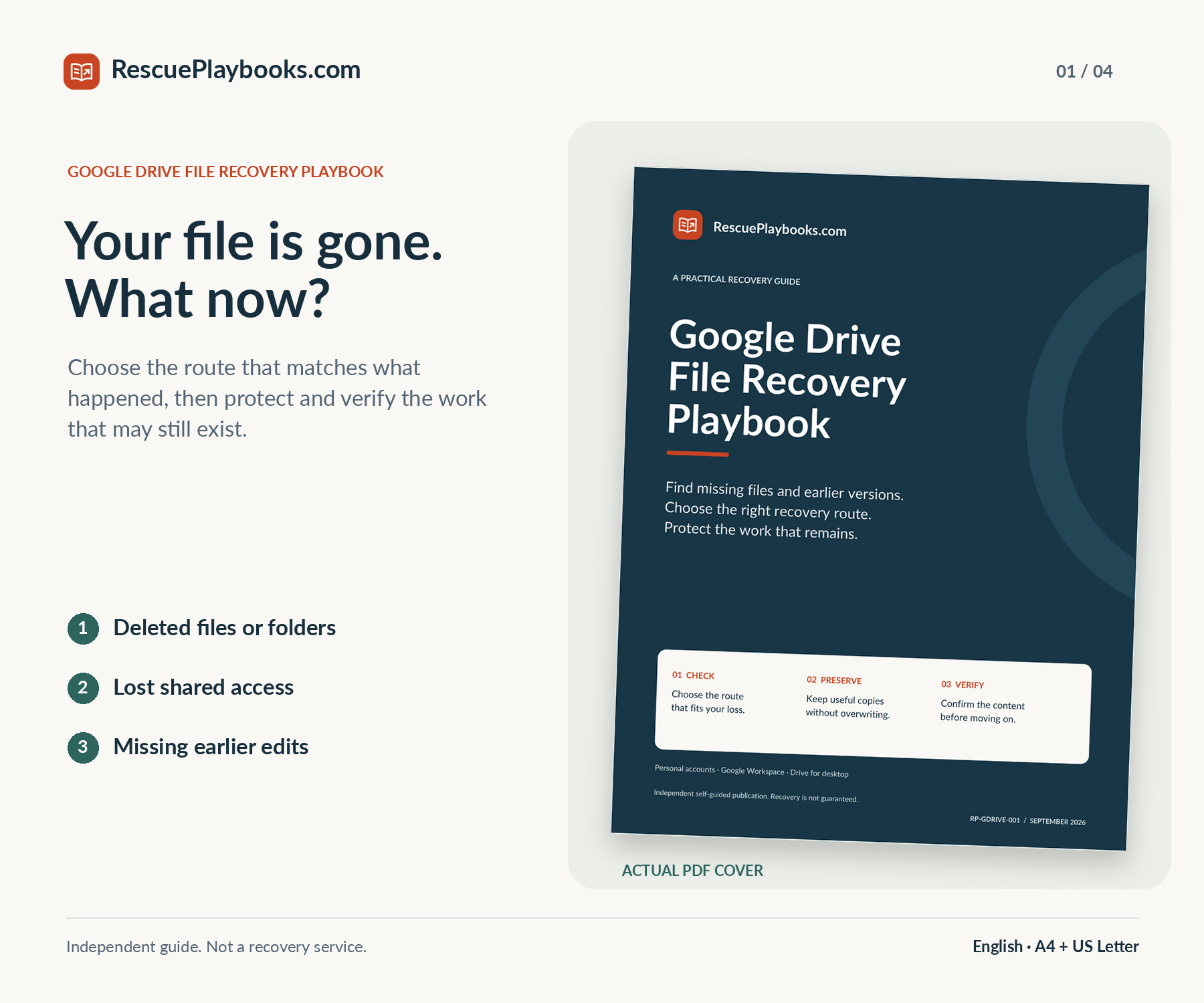
Work out whether a file was deleted, moved, made inaccessible, or overwritten. Follow the relevant personal Drive, Google Workspace, version-history, or desktop-copy route, then check the content and record a useful next step.

31-page PDFRead or printFillable toolkit

Not a data recovery service. We do not sign in to your accounts, access your files, or perform recovery for you.

Recovery is not guaranteed. Available data, ownership, permissions, prior retention, and Google’s live eligibility rules determine which routes can help.

$49USDOne-time payment
Get This Playbook

PDF playbook + practical toolkit · Delivery after payment

Independent guide. Not affiliated with or endorsed by Google. You are paying for an independently organized workflow, practical PDF tools, fictional examples, and adaptable messages—not a Google service, secret recovery method, software, or work performed on your account.

WHAT'S INCLUDED

Inside your playbook.

Focused guidance. Practical resources. Clear next steps.

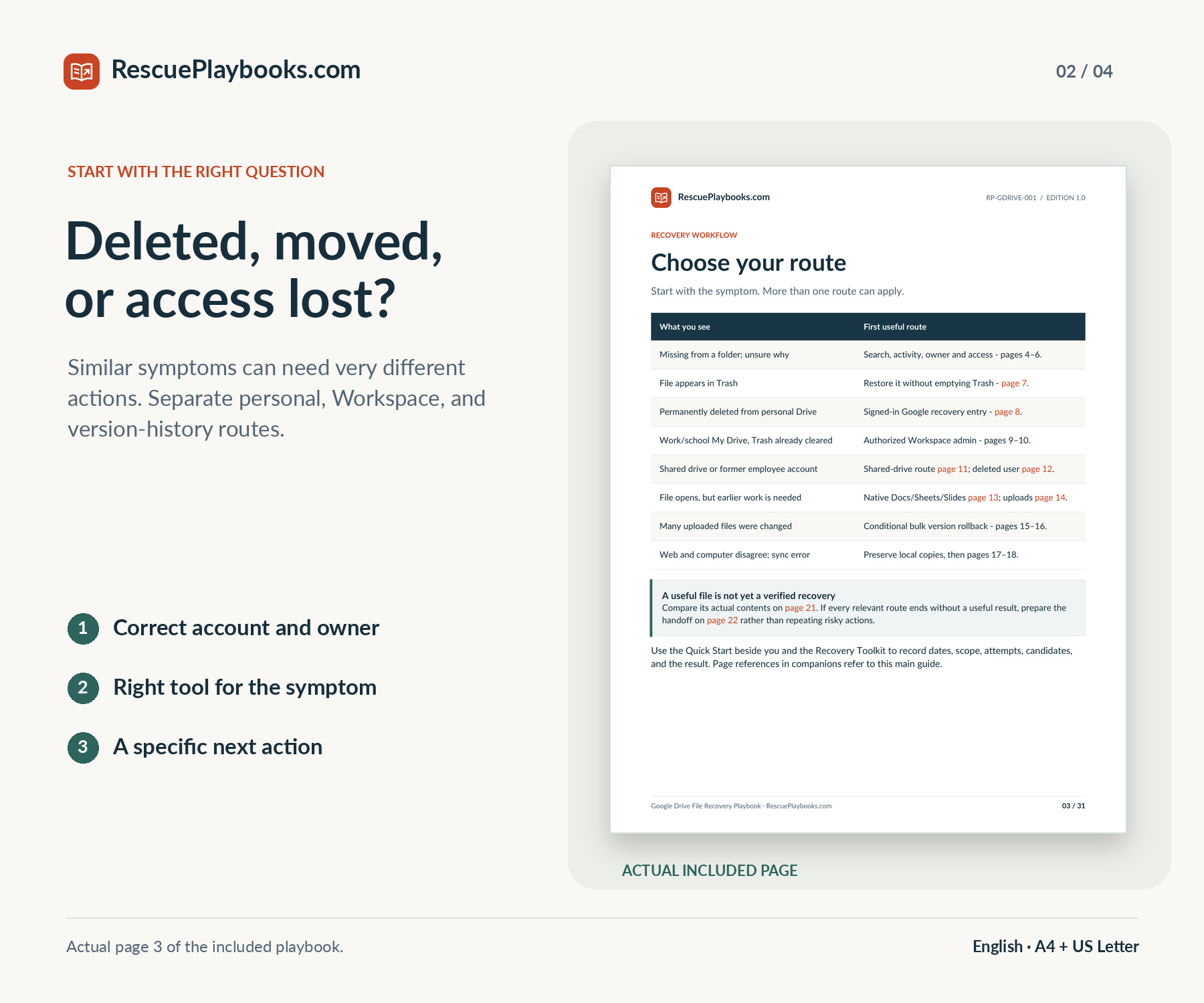
Symptom-based recovery routes

A practical map for missing files, access problems, permanent deletion, and missing earlier content.

Preservation before repair

Clear cautions for unsynced files, sync disconnects, version replacement, broad restores, and active compromise.

Personal and Workspace pathways

Trash and signed-in recovery checks, plus separate administrator routes for My Drive, shared drives, and deleted users.

Earlier versions and existing copies

Native Docs/Sheets/Slides history, uploaded-file versions, conditional bulk rollback, local copies, and prior backups.

Content and access verification

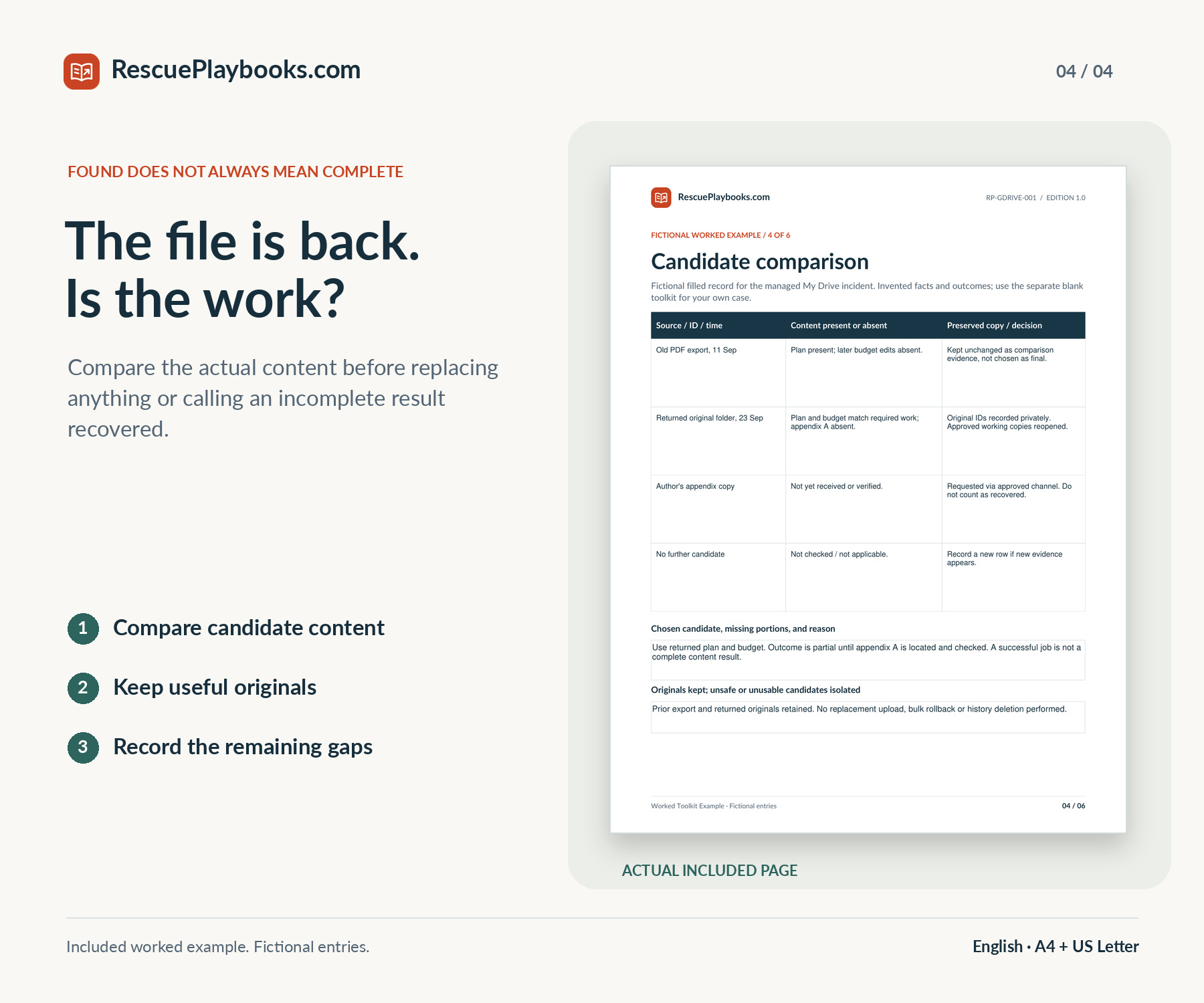
Check the actual missing work, compare candidates, and verify sharing instead of relying on a success notification.

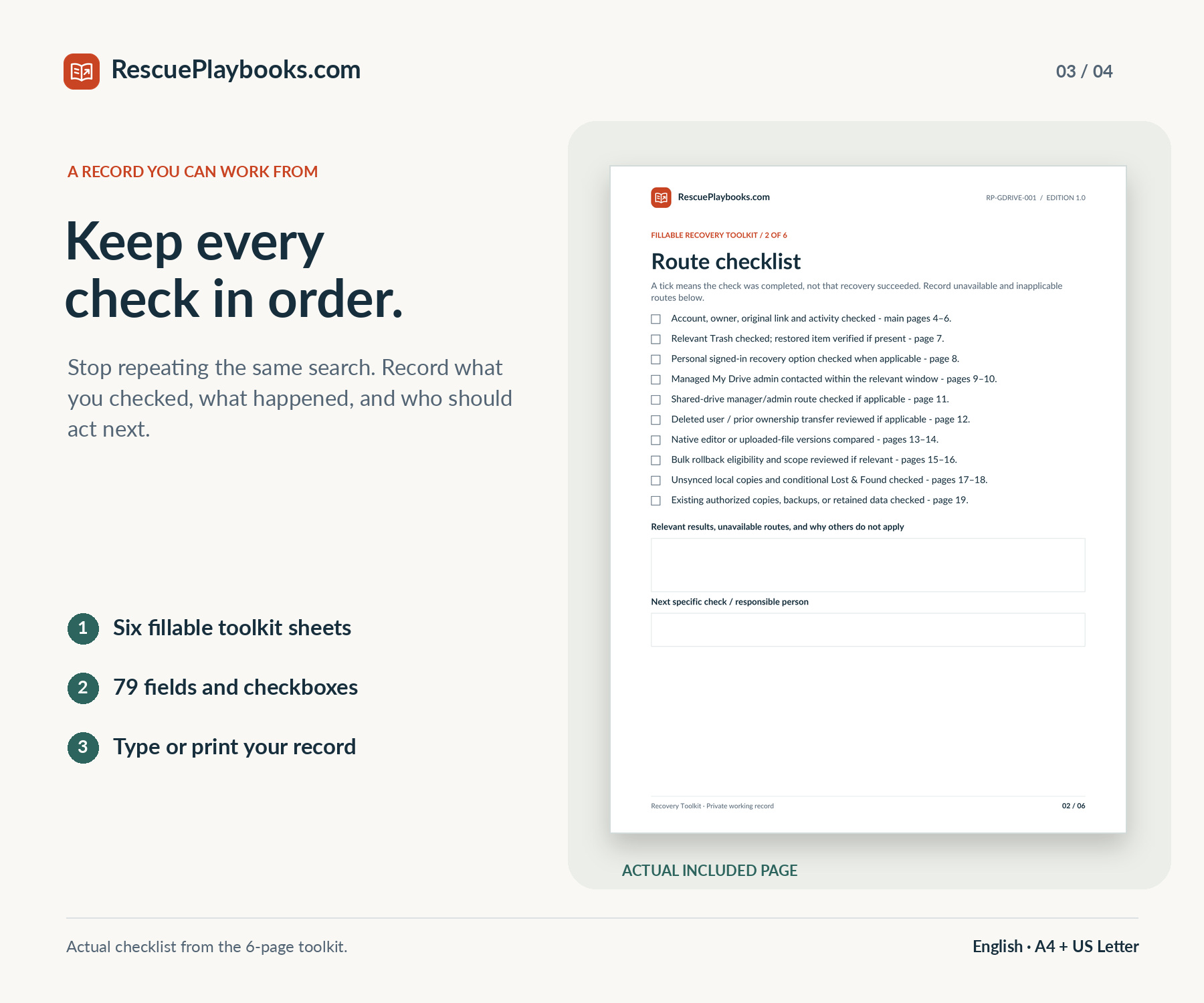
Six-page fillable toolkit

79 fields and checkboxes to record the incident, routes, dates, candidates, restore approval, and final outcome.

Worked examples and Quick Start

A two-page entry guide and a six-page fictional completed toolkit show how the process fits together.

Eight adaptable messages

Focused requests for owners, collaborators, Google support when available, administrators, and security teams.

YOUR DIGITAL DOWNLOAD

One playbook.
Read, print, and take action.

Choose your paper size. Keep the practical tools beside you.

31-page PDF playbook

Recovery routes, fictional scenarios, and 20 official reference links.

A4 + US Letter

Read on screen or print the size that matches your paper.

Practical PDF companions

Quick Start, fillable toolkit, worked example, and adaptable messages.

Files in the package

  • 31-page PDF playbook with 20 official references
  • 2-page Quick Start PDF
  • 6-page fillable and printable Recovery Toolkit
  • 6-page fictional Worked Toolkit Example
  • 3-page companion with eight copy-and-paste messages
  • A4 + US Letter editions, plus a 2-page Start Here PDF

A4 and US Letter editions contain the same content. No audio file is included.

What's not included.

Hands-on recovery, remote access, one-to-one technical assistance, or paid Google support access. Account takeover recovery, bypassing ownership or security checks, ransomware decryption, malware removal, or damaged-drive repair. Recovering data Google no longer retains, restoring WhatsApp backups or Google Photos items, or guaranteeing a recovery outcome.

Independent publication. Not affiliated with or endorsed by Google. Google services, software, or paid support access are not included.

MADE FOR SITUATIONS LIKE YOURS

Who this playbook is for.

A file or folder has disappeared.

Separate deletion from the wrong account, a moved item, a broken shortcut, or lost sharing access before choosing a restore.

You emptied Trash or cannot find the deleted item.

Check the official personal-account recovery entry or the appropriate Workspace administrator route, with clear eligibility limits.

Your document opens, but important work is missing.

Use the right native-editor or uploaded-file version history and compare a copy before changing the shared current version.

Work or school files need an administrator.

Prepare the correct owner, dates, timezone, and scope for My Drive, a shared drive, or a deleted user account.

Drive on your computer and the web do not match.

Protect real local-only work, distinguish links from copies, and check the conditional failed-upload Lost & Found route.

Many files changed, or recovery is incomplete.

Review broad rollback safely, recognize the security handoff, and document what is verified, missing, or still blocked.

BEFORE YOU BUY

A few things worth knowing.

Help with your purchase
What exactly will I receive?
An English 31-page playbook, a 2-page Quick Start, a 6-page fillable Recovery Toolkit, a 6-page fictional worked toolkit example, and a 3-page companion with eight adaptable messages. These five documents are supplied in A4 and US Letter. A separate 2-page Start Here PDF is also included. There are 11 PDFs in one ZIP.
Does it cover personal Google Drive and Google Workspace?
Yes. It separates personal Drive recovery from managed work/school My Drive, shared-drive recovery, and deleted-user cases. Administrator actions require the appropriate authority. A personal account does not inherit Workspace recovery privileges or windows.
Can permanently deleted files always be recovered?
No. The guide explains the official signed-in personal recovery entry and conditional Workspace routes. Eligibility, ownership, available data, and timing matter. There is no universal personal-account recovery period or guarantee, and buying this guide cannot extend Google’s retention.
Will it help if the file still exists but earlier work is missing?
It includes native Docs, Sheets, and Slides history, uploaded-file versions, and the conditional bulk Restore file versions tool. You learn to compare a candidate and protect useful current work before choosing a replacement. Missing content must still exist in an available version or other copy.
What about shared files, shortcuts, and missing permissions?
The guide starts by distinguishing access loss from deletion. It covers account checks, original links, owners, restricted parents, shared-drive membership, and the difference between a shortcut and its target. Some cases require the owner or administrator to restore intended access.
Does it cover Windows, Mac, and phones?
The main recovery workflows use Drive in a computer browser, with Windows and Mac desktop-sync preservation guidance. A phone can be used to read the PDFs and begin account/Trash checks; detailed history and administrator work are best followed in a trusted computer browser. It is not a mobile-device or physical-drive recovery manual.
What is the fillable toolkit for?
Its six sheets help record the incident, relevant routes, deletion dates and attempts, candidate content, restore scope approval, and final verification. There are 79 fields and checkboxes. Save a local copy in a form-capable PDF reader and reopen it to confirm entries persist. You can also print the blank toolkit.
Will you access my account or recover the files for me?
No. This is a self-guided publication, not a recovery service. We do not log in, operate your computer, submit Google requests, inspect files, or perform the steps. Never send passwords, recovery codes, session data, or confidential files to get purchase support.
Is recovery guaranteed?
No. The guide helps you choose and document available checks; it cannot guarantee that useful data still exists or that Google will accept a request. The purchase guarantee concerns satisfaction with the product, not a promised file-recovery result.
What does the $49 price cover?
The listed price is $49 USD for a one-time purchase of this playbook and its included PDF materials. Your final total is shown before payment. It does not pay Google, buy software, or provide a support entitlement.
Why buy this when Google’s help articles are free?
You are paying for an independent ordered workflow, route map, safety decisions, comparison and approval worksheets, fictional examples, and adaptable messages. The main guide links to 20 official references. You can use Google’s available recovery tools and documentation without buying this publication.
What is not included?
Hands-on assistance, recovery software, Google services or paid support, account-security bypasses, malware removal, ransomware decryption, disk repair, WhatsApp backup restoration, and Google Photos recovery. It does not recreate data that was never retained and is not an official Google product.
How do I get and use the files?
After payment, download the ZIP from your order page; a download link and receipt are also sent by email. Extract it and open Start Here.pdf. Choose A4 or US Letter; both contain the same content, not different chapters. All customer materials are in English. Use a compatible PDF reader to read or print them.
What if I am not satisfied or cannot find my download?
Customers may request a refund within 14 days of purchase by emailing support@rescueplaybooks.com with their order reference and a short description of the issue. Approved refunds are returned to the original payment method. This voluntary guarantee does not limit mandatory consumer rights. Refund Policy